 STOCK PORTFOLIO (ONE)
Calendar
Feature > Payout Calendar
The calendar, initially, provides a snapshot of the dividend activity this week.
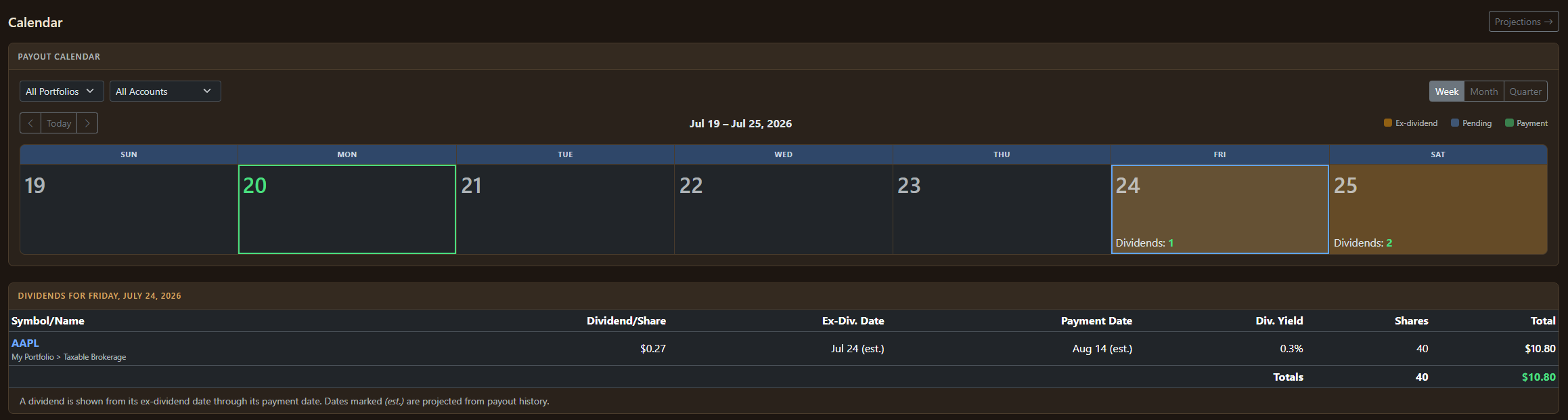
The current date is selected in green. And clicking on any of the colored squares (where there is at least on item with activity) shows the relevant information on that date.
Important:
This calendar initially shows everything. If you have more than one portfolio and want to filter this only by that portfolio then you can set this in the upper left-hand corner.
You can also drill into specific accounts.
You can also view the calendar in a monthly view.
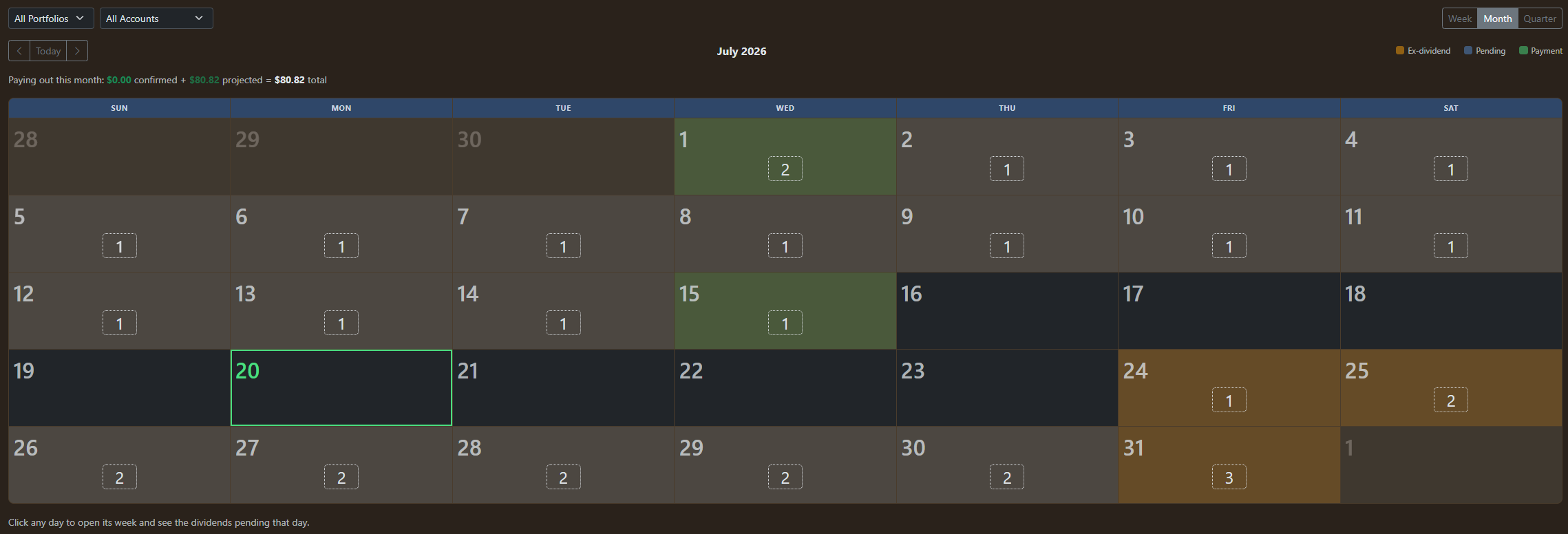
You can see, by color, which activity is pending

And notice in each case, you have a navigator and can always return to the current week or month.
The Quarterly view expands the monthly view by showing three months of calendars (the current month and proceeding two (2) months).