STOCK PORTFOLIO (ONE)
Operations Desk
Feature > Operations Desk
The Operations Desk is where you manage all of the activity that keeps your process running smoothly.
When you have pending decisions, you will see them when you first come to the page.
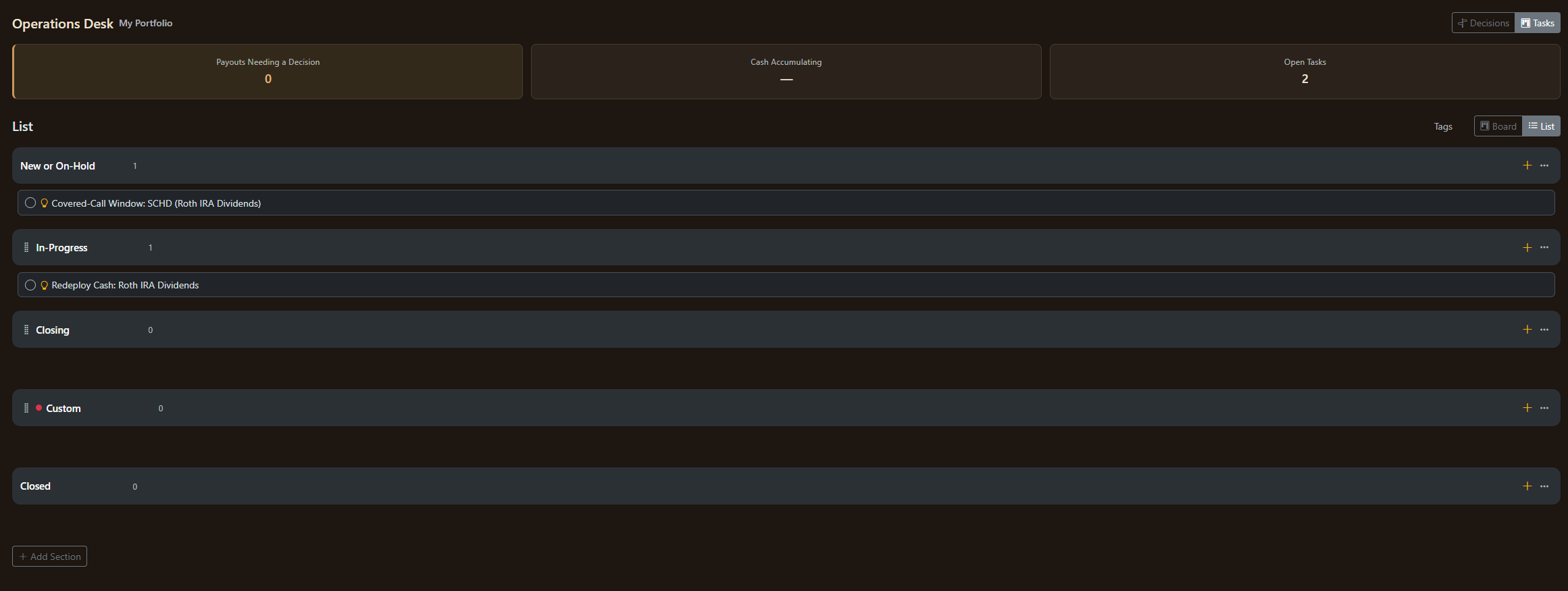
If you click on "Tasks" then you will be taken to your Kan Ban / Lists board.
Decisions
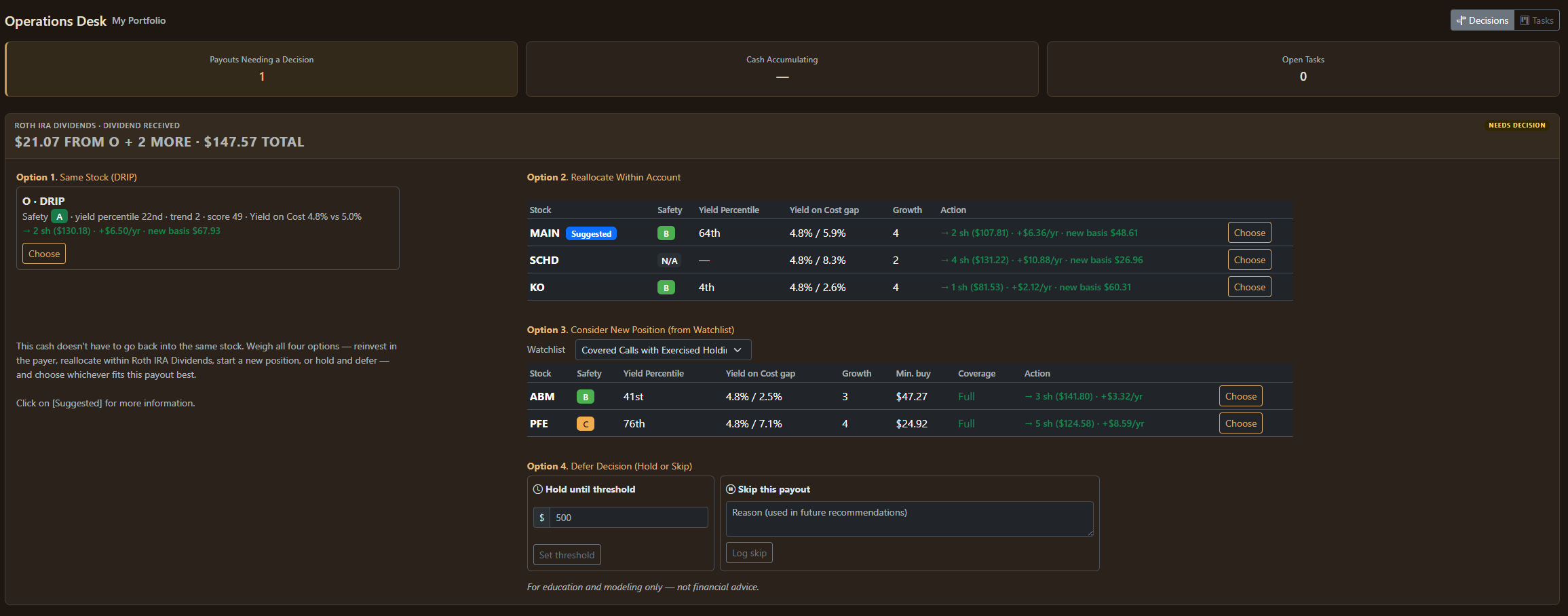
Deciding how to spend your dividend is one of the most challenging things a dividend investor can do. Stock Portfolio (One) makes it easy by doing the math for you.
You have four (4) options:
- DRIP
- Reallocate Within Account
- Find a Position opportunity in your Watchlists
- Defer the Decision
DRIP. Most people just use a Dividend Re-Investment Program (or DRIP) process to reinvest against the same stock and this is the traditional approach.
Reallocate Within Account. When you consider the stocks current price and its yield on cost, then it often makes sense to reallocate those funds somewhere else in your account (option 2).
See the badge:
This is Stock Portfolio (One) providing a suggestion after analyzing the data. You can click on it to get a better explanation: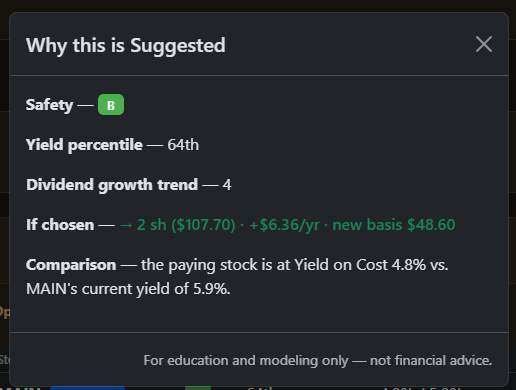
Existing Watchlists. A Watchlist item with a yield that meets your criteria is also a candidate.
Defer. You can always decide not to decide. Defering is always an option although if you do that too often it will start costing real money in lost compounding opportunties.
Tasks
Kan Ban

After choosing to reallocate the $21.07 dividend to another account (MAIN) - it is then also moved into our Kan Ban board.
Here we've moved the task into In-Progress.
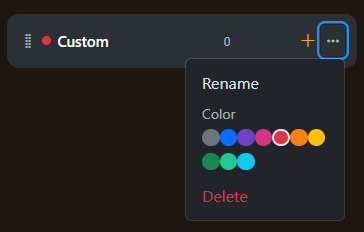
Note: You can rename existing colums, and add/delete custom columns.
While you cannot move the first or last column you can move any column with a drag handle
You can see the drag handle to the left of the word, "Closing"
You can also set custom colors by click on the "..." (ellipses)
Lists
Some people prefer to see lists rather than the Kan Ban board.